See it at a glance.
Mic, camera, hand, and sharing at a glance. Red dot means recording. Tally doesn't guess.
For Stream Deck on Mac
Live Microsoft Teams controls. A lit key means it's live.
Free and open source · macOS 13+ · Stream Deck 7.1+ · the new Teams desktop app · full state in English Teams

Why “Tally”? On a TV set, the tally light is the small red lamp on a camera that tells everyone it's live. Tally puts that light on your Stream Deck: a lit key means that thing is live — your mic, your camera, your raised hand, your shared screen.
Mic, camera, hand, and sharing at a glance. Red dot means recording. Tally doesn't guess.
Tap Mute to toggle. Hold it to talk while muted, or to cough while live.
Works with Teams in the background and never pulls it to the front.
Leave can need a hold, so a stray tap can't end your meeting. It's on in the bundled profiles.
Stream Deck offers a ready-made Tally profile for Stream Deck and Stream Deck +.
Runs entirely on your Mac. No account, no cloud. It reads only Teams' meeting controls and status.
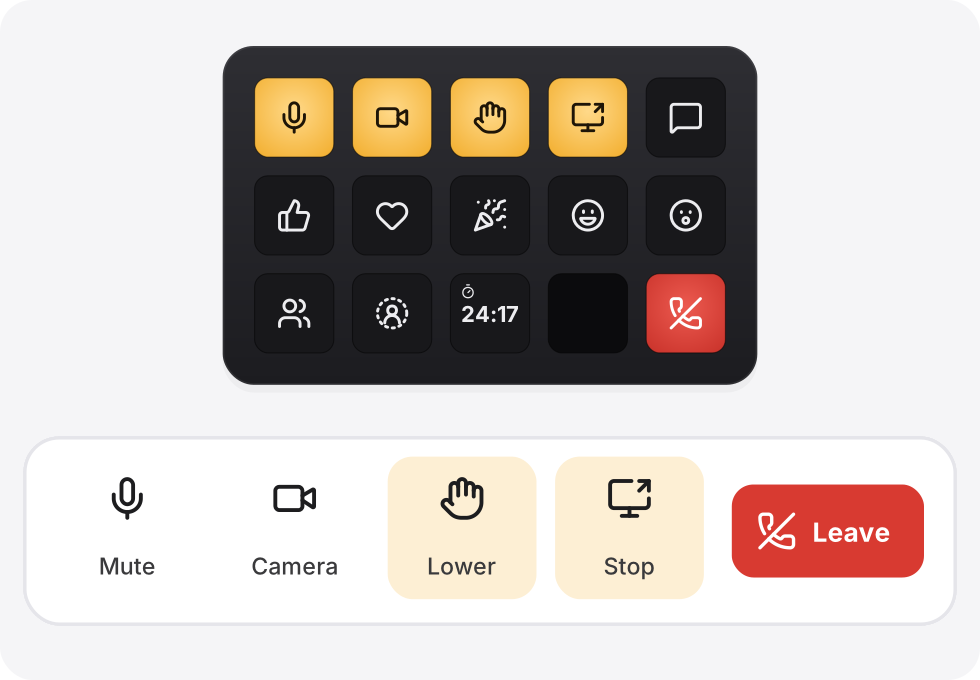
Press a key and Teams follows. Change something in Teams and the key follows.

Amber means it's live. Red dots on Mic and Camera mean the meeting is recorded or transcribed. Keys stay neutral when Tally can't read a state.
Optional on Stream Deck or Stream Deck +: switch to the Tally profile during meetings from any Tally key's settings. Bundled Leave already uses Hold to leave; keys you drag in yourself can turn it on. If Hand, reactions or Blur flash an alert, click the meeting window once.
Tally runs entirely on your Mac. It reads Teams' meeting buttons, the meeting's status (recording, elapsed time), and items of menus it opens, the way a screen reader does. It never reads messages, chat or window titles. No account, no cloud, and this page doesn't track you either.